Restaurant waitlist
When you're fully booked, the guest joins the waitlist online instead of going to the place next door. Your team sees them on the same waitlist, and the guest gets an email the moment a table opens.
- Guests join online
- Email when a table opens
- 0 commission on your own reservations
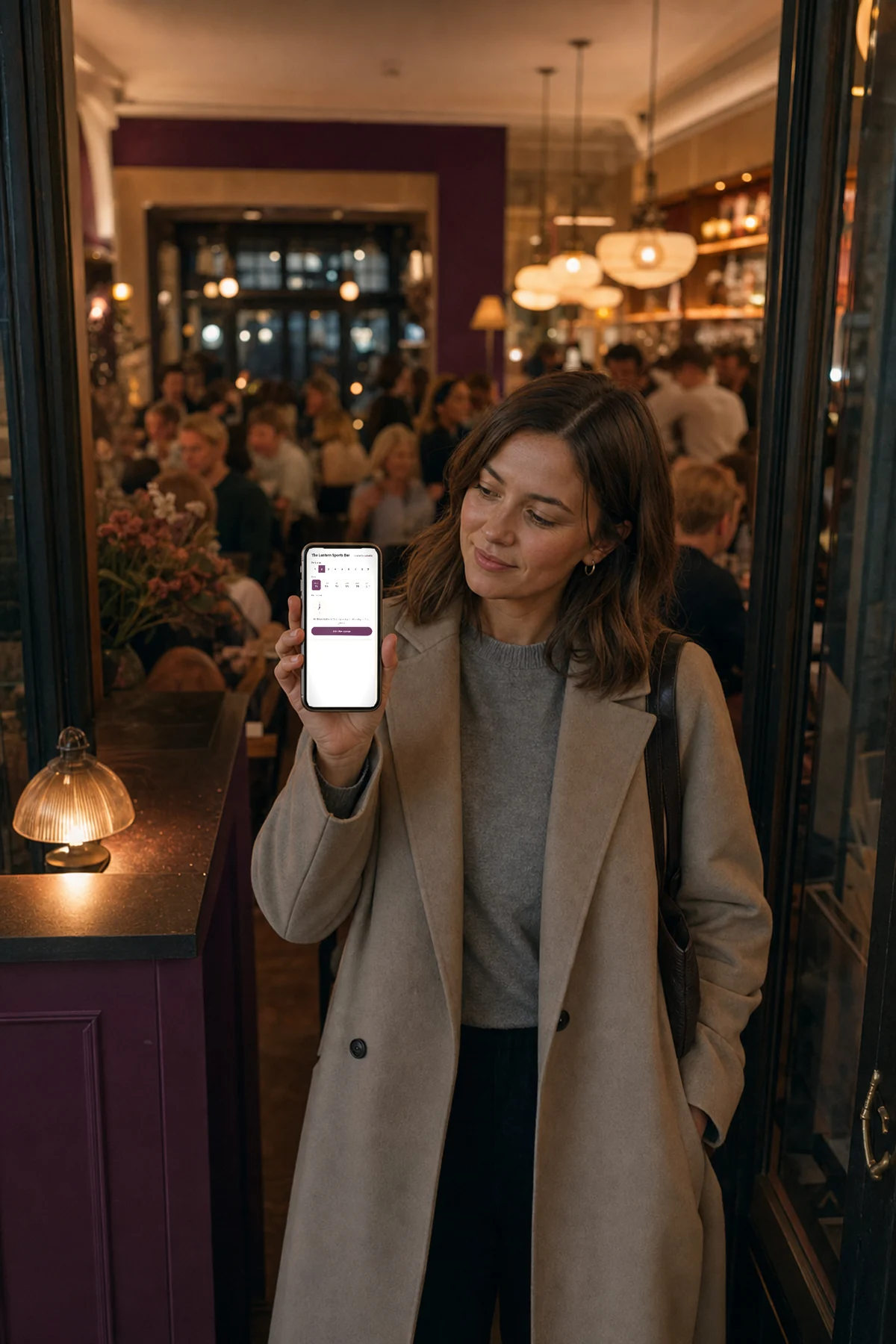
A restaurant waitlist lets a guest join the waitlist online when you're fully booked. The guest leaves a name, contact, and party size in your reservation widget, your team sees them on the same waitlist, and the guest gets an email the moment a table opens.
- Guests join online
- Name and contact
- Preferred time
- Staff see the waitlist
- Email on a free table
- Leave the waitlist
What does the guest see when you're fully booked?
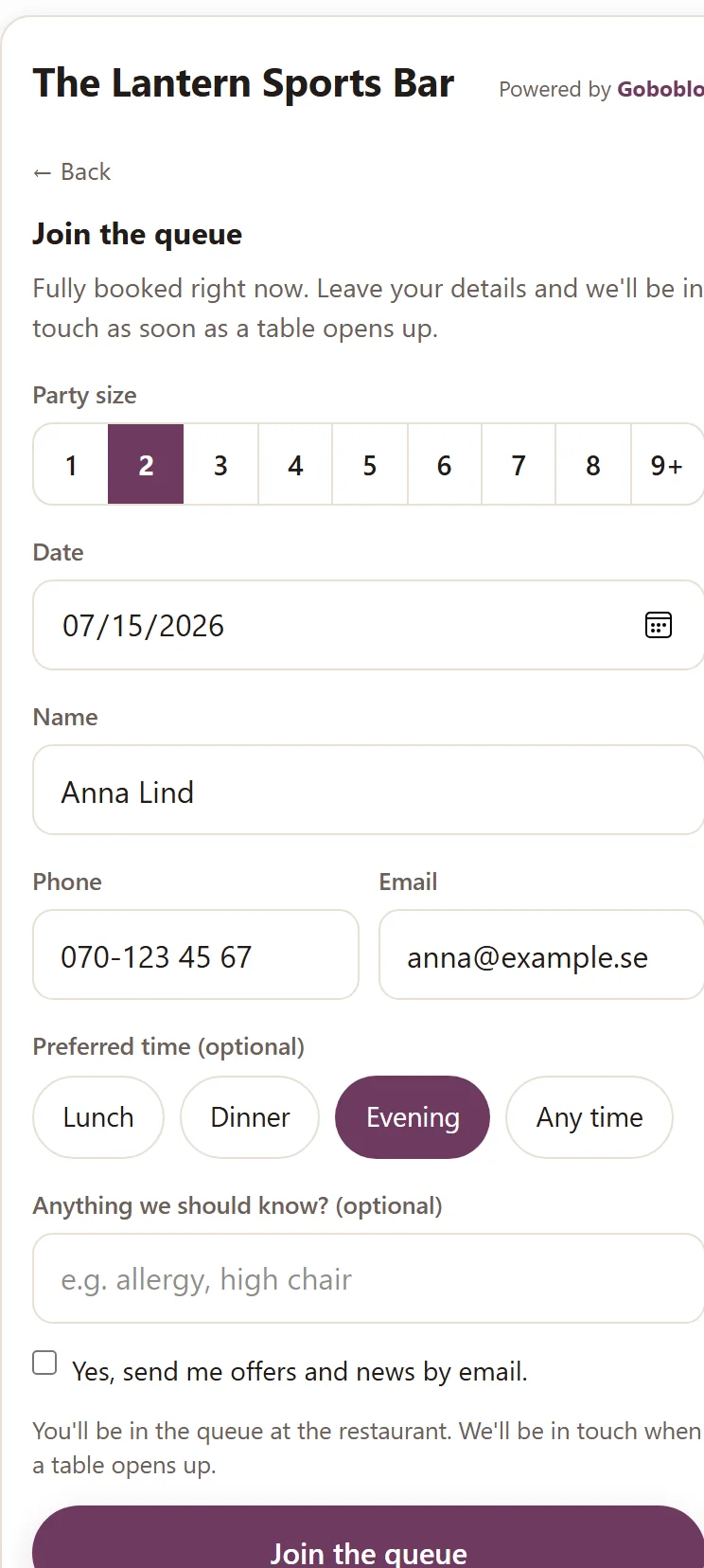
When the reservation widget shows no open times, the guest gets a button: Join the waitlist. They leave a name, contact, and party size on the spot — no phone call, and no one on your team has to answer mid-rush.
- The button shows when no times are free
- Name, email or phone, party size, and a preferred time
- No call, no app to download
How does the waitlist show up for your team?
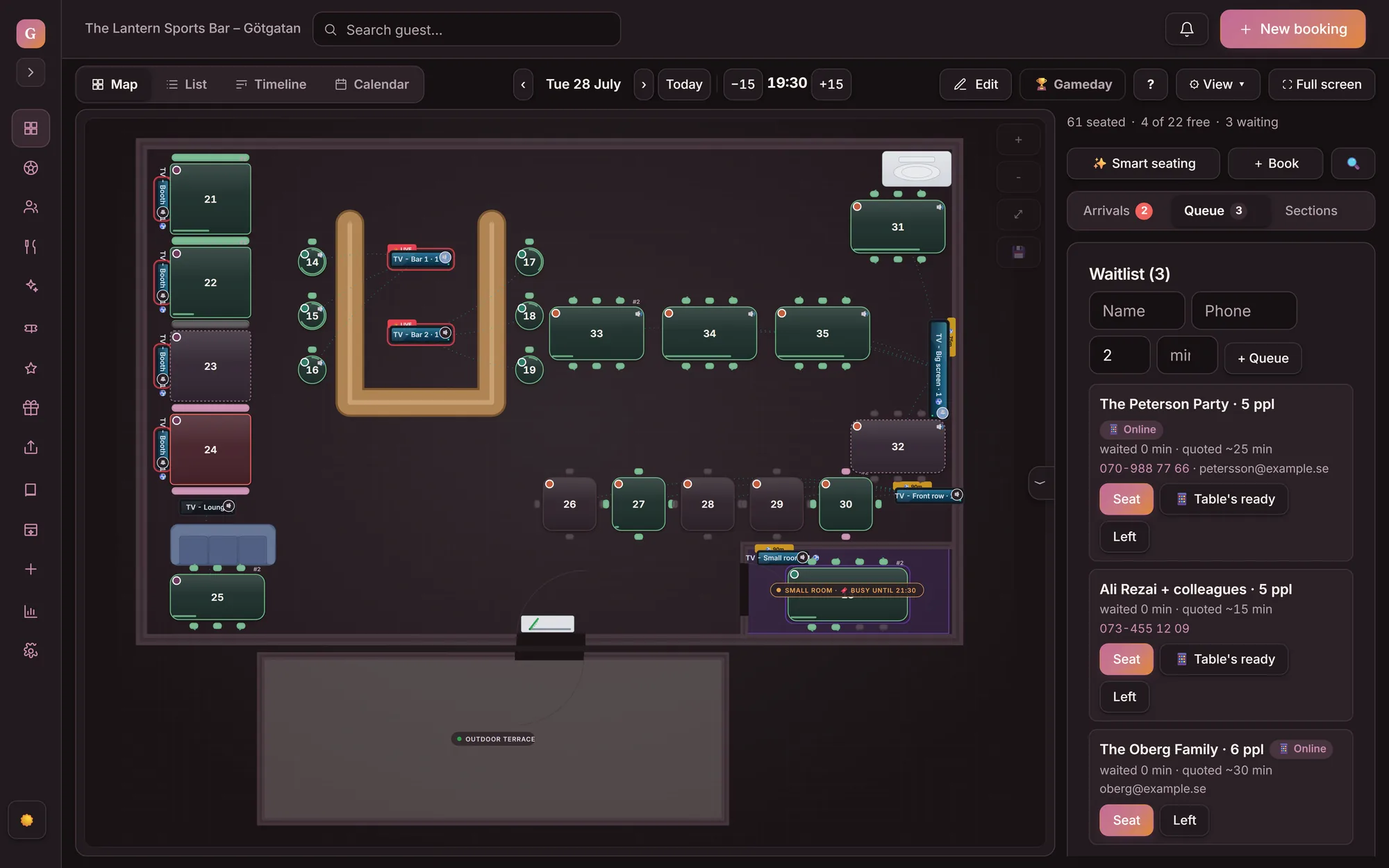
A guest who joins the waitlist online shows up on the same waitlist as your walk-ins, marked as online. Staff see the name, party size, and preferred time, and seat the guest when a table opens — just like today.

How does the guest hear there's space?
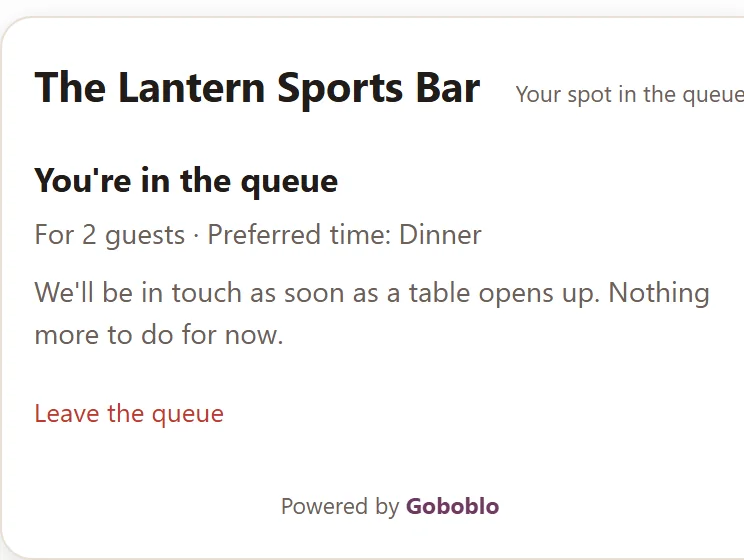
When your team seats the guest, the guest gets an email that there's space, if they left one. The guest also has their own link to their waitlist status — if they no longer want to wait, they leave the waitlist themselves and drop off your waitlist right away.
- Email when you seat the guest
- Their own link to the waitlist status
- The guest can leave the waitlist
What does a waitlist change on a full night?
A waitlist keeps the demand from a full night from leaking away. The guest stays with you, and you have a list to turn to when a table opens.
- Fully booked sends the guest next door
- A late cancellation leaves the table empty
- Walk-ins get scribbled on a notepad
- You chase guests when a table opens
- The guest joins the waitlist online instead
- Your team fills the table from the waitlist after a cancellation
- Online and walk-ins in one waitlist
- A list of guests who already chose you
What do you get with the waitlist?
What operators ask about the waitlist
How does a guest join the waitlist?
When your reservation widget shows no open times, the guest gets a button: Join the waitlist. The guest fills in a name, email or phone, party size, and a preferred time, right in the reservation widget. No phone call and no extra app.
What happens when a table opens up?
Your team sees the guest on the same waitlist as walk-ins and seats them when a table opens — right on the floor plan in table management. When you do, the guest gets an email that there's space, if they left one. You decide who comes in next — nothing is automatic.
Does the guest get a text or see their place on the waitlist?
The guest gets an email when a table opens, not a text. Their own waitlist link shows their place on the waitlist while they wait — for example “You're number 2 on the waitlist.” — counted each time they open the page. If you switch it on, a canceled time is emailed to the next guest on the waitlist; otherwise your team decides who's next.
Can the guest leave the waitlist?
Yes. After joining, the guest gets a link to their own waitlist status, where they can see they're in line and leave the waitlist themselves if plans change. They drop off your team's waitlist right away.
What does the waitlist cost?
The waitlist is part of the reservation system, and you pay 0 commission on your own guests. No surcharge for full nights. The full price is on our pricing page.
Works alongside
- Restaurant reservation software — the full reservation system the waitlist is part of.
- Table management — the operator's side of the same waitlist, where you seat the guest when a table turns.
- Choose your table when booking — the sister feature in the same reservation moment, for guests who'd rather pick a table outright.
Want to see the waitlist on your restaurant?
Book a short demo and we'll show how a guest joins the waitlist online, how the waitlist looks for your team, and how the guest gets an email when there's space.