Restaurant gift cards that pay you before the guest arrives
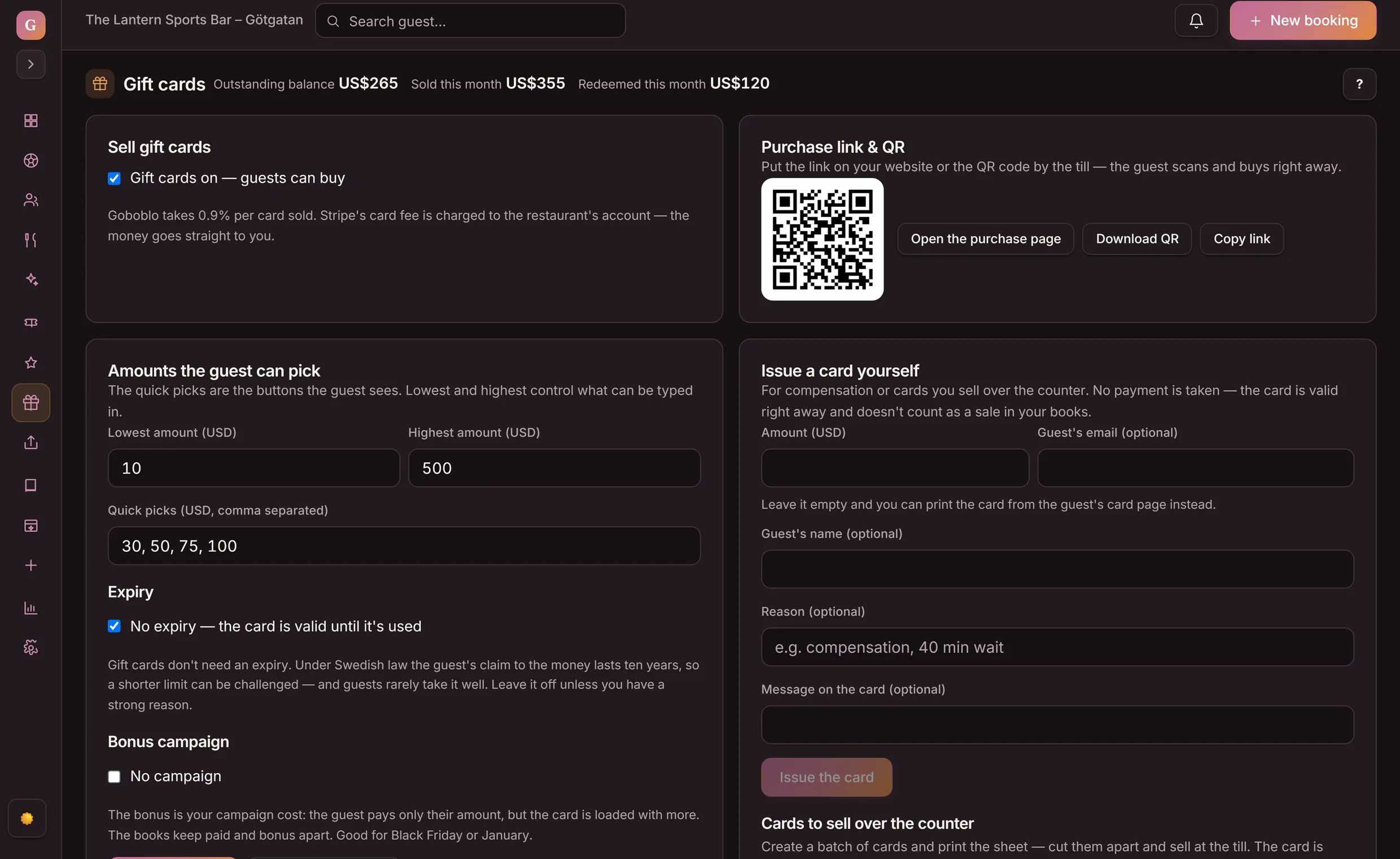
Sell gift cards on your own site around the clock. The buyer picks an occasion and an amount, the card is emailed right away — or on a chosen date, straight to the recipient — and you scan the QR code at the register. The guest always sees the balance on the card's own page.
- The code is emailed right away
- 0.5% per card sold
- The money goes straight to you
A restaurant gift card is a prepaid amount someone buys up front and a guest redeems on a later visit. In Goboblo the buyer purchases through your purchase link or QR code, the code is emailed right away, and you redeem at the register — with the whole trail on the books.
- Occasions on the card
- Send now or on a date
- Card page with balance
- Valid online & at the register
- Bulk buys & campaigns
- Cards over the counter
Sell a gift card — and redeem it
This is the buyer's view from your purchase link, with the product's real quick picks. Pick an amount, see the card the code is emailed with, and redeem it at the register — just like in service.
- The buyer opens your purchase link or scans the QR code and picks an amount — quick picks or custom.
- The buyer pays by card; the money goes straight to you (Goboblo takes 0.5% per card sold).
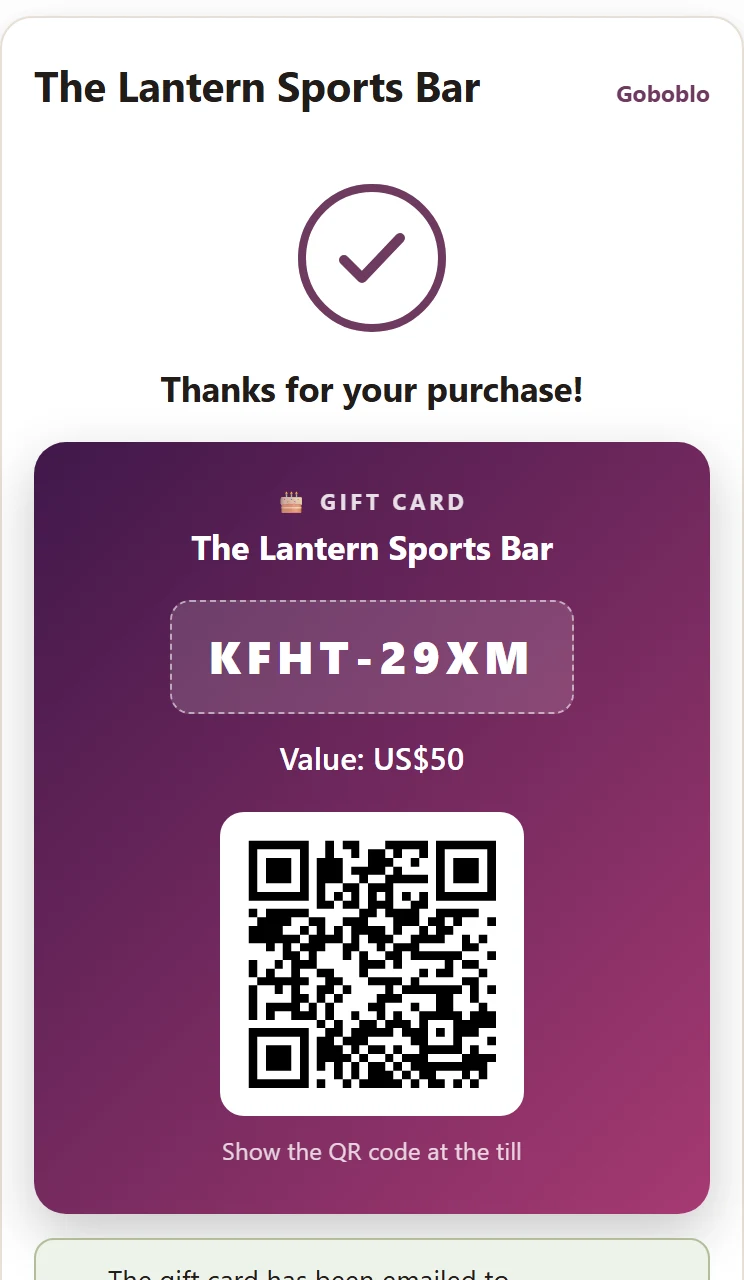
- The card with its code shows right away and is emailed to the buyer — with a QR code and its own page where the balance always shows.
- The guest shows the QR code or the code at the register; you scan or look it up, deduct the amount and the balance updates.
Pick an amount
In the next step the buyer pays by card — in the demo we skip straight to the card.
The code has also been emailed to you.
Redeem at the register
The guest shows the QR code or the code. You scan or look it up in the dashboard, enter the amount to deduct and redeem.
- The amount was deducted from the card — a partly used card keeps the rest of its balance for the next visit.
- Sold and redeemed show in the dashboard: outstanding balance per month, with CSV export for bookkeeping.
- The money from the purchase went straight to you — Goboblo took 0.5% per card sold.
How do I sell gift cards on my own website?
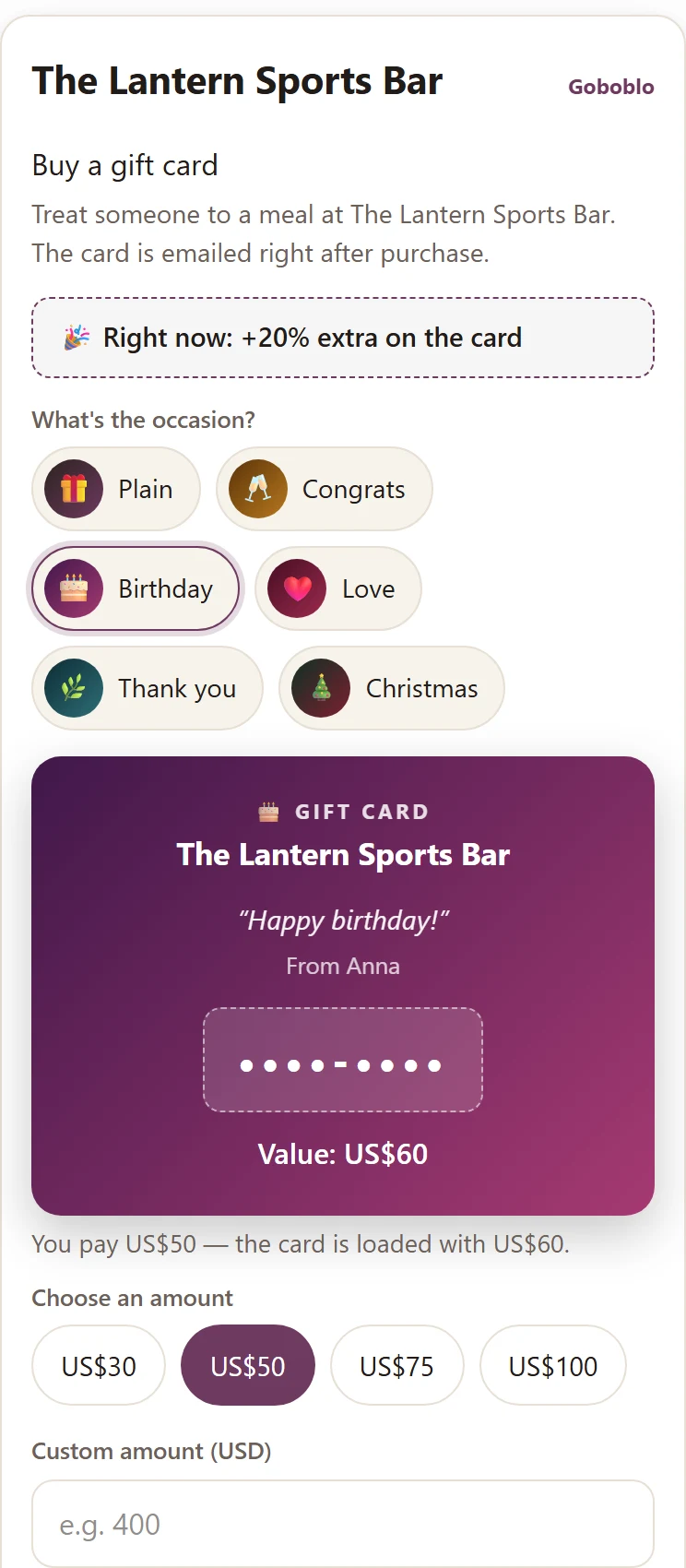
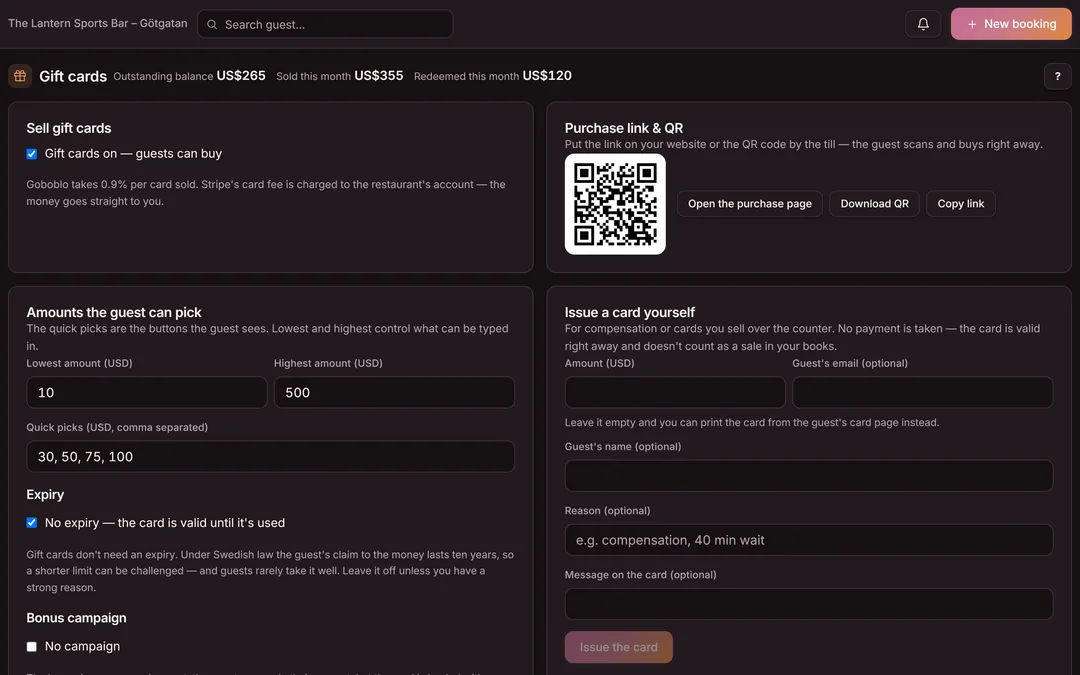
You switch gift cards on in the dashboard and get a purchase link and a QR code. The buyer picks an occasion — congrats, birthday, Christmas, love or thank you — and an amount, watches the card take shape as the message is written, and pays by card. Around the clock, even when the kitchen is closed.
- An occasion on the card — color and motif carry into the email
- Sent straight to the recipient — now or on a chosen date
- Your own amounts and quick picks per location
The guest always sees what's left
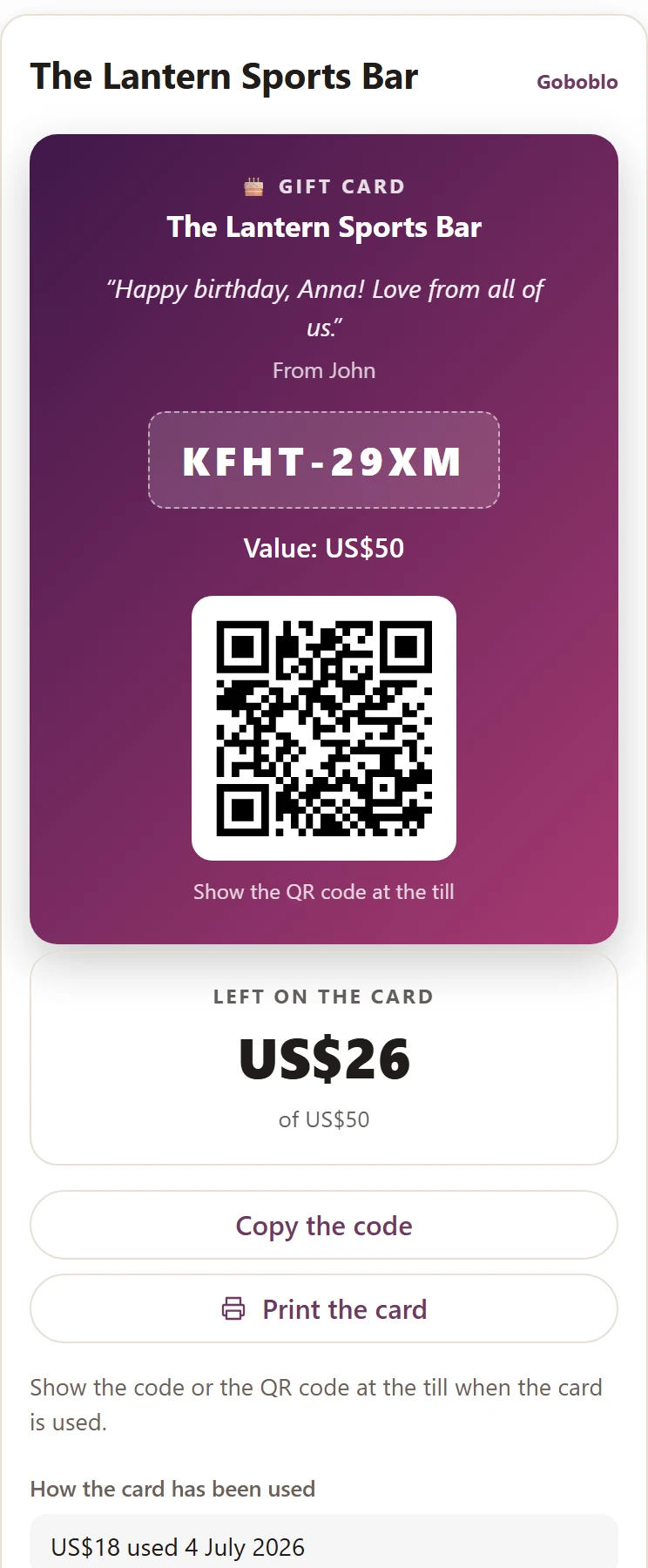
Every card has its own page with the balance, the history and the QR code to show at the register. The link is in the emails — a lost email is no longer a lost card, and nobody has to call and ask what's left.
- Balance and history — always current
- The QR code is scanned at the register, no eight characters to type
- Lost the email? You re-send the card with one button
Pay with the card — at the register and online
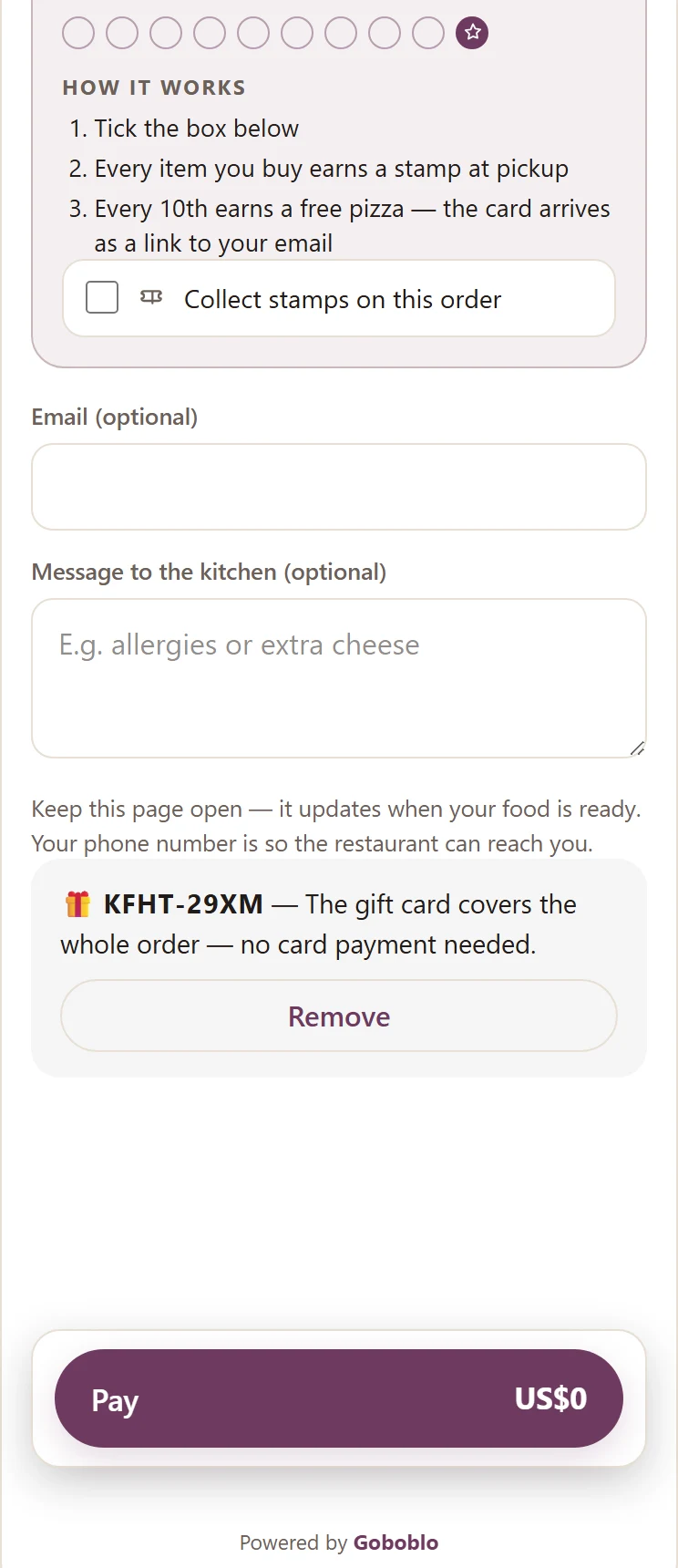
The card is redeemed at the register, in the Order & pick up checkout, and when the guest books a paid experience. The guest enters the code, sees what's deducted and pays the rest by card — if the card covers it all, no card payment is needed. If the purchase is canceled, the card part goes back onto the card.
- Order & pick up: the code is applied right in the checkout
- Experiences: the wine tasting is paid with the gift card
- A partly used card keeps the rest — nothing disappears
Campaigns, bulk buys and cards over the counter
You set the amounts, run bonus campaigns — pay $50, get $60 — and sell up to ten cards in one purchase to companies, each with its own recipient. Need physical cards? Create a batch and print the sheet: cut them apart, put them by the register, done.
- Your own amounts and quick picks per location
- Bonus campaigns with an end date — the books keep paid and bonus apart
- A printable sheet with code and QR for counter sales
From purchase to bookkeeping — step by step
Click a step to see what data is created and what happens next. Every step is live in the product today.
-
You switch gift cards on in the dashboard and get a purchase link and a QR code. The link goes on your website; the QR code can stand by the register.
-
The buyer picks an amount — quick picks or custom — and pays by card. The money goes straight to you; Goboblo takes 0.5% per card sold.
-
Right after the purchase the card shows on screen with its code and QR, and is emailed to the buyer. If it's a gift, it's also emailed to the recipient — right away or on the date the buyer picked. The link to the card's own page, with balance and history, is in the emails.
-
The guest shows the QR code — you scan it with the camera, or look the code up by hand. Deduct an amount or redeem the whole balance in one click. The rest stays for the next visit, and the card's history shows what's already been deducted.
-
The card is also valid in the Order & pick up checkout and for experience reservations. The guest enters the code, the rest is paid by card — and if the purchase is canceled, the card part goes back onto the card.
-
Sold cards are recorded as a liability to the guest until used; tax is handled at the register when the card is redeemed. Export sold and redeemed cards as CSV.
How do I see what is sold, redeemed and outstanding?
The dashboard shows the outstanding balance, sold this month and redeemed this month. Some cards are never redeemed — then the money stays with you. Export the bookkeeping trail as CSV.
- Outstanding balance, sold and redeemed per month
- Sold cards are a liability until used; tax at redemption
- CSV export of sold and redeemed cards
What does it take to start selling?
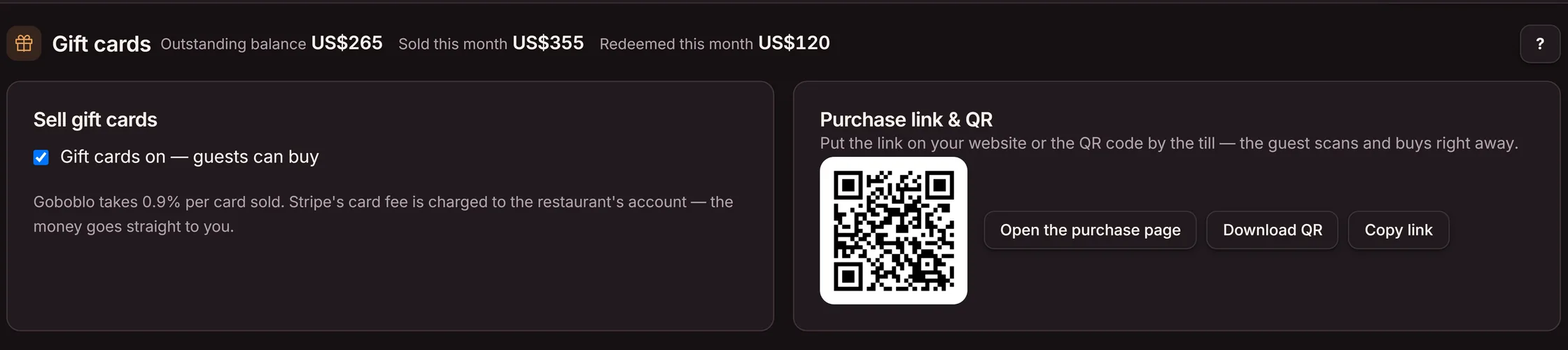
You switch gift cards on in the dashboard and connect card payments — then the purchase link and QR code are ready. Goboblo takes 0.5% per card sold; Stripe's card fee is charged to your account and the money goes straight to you.
- Switch on in the dashboard — purchase link + QR right away
- The money goes straight to you, not through us
- 0.5% per card sold, no monthly fee
The difference is traceability
A paper stub and a digital gift card both bring in money up front. Only the digital card keeps track of balances, validity and who bought and redeemed.
- Written by hand and sold over the counter
- Sells only when you're open and staffed
- No track of balances or double redemptions
- The bookkeeping is tallied by hand
- Sold through a link and QR around the clock — and as printed cards by the register
- The card is emailed right away, with its own page where the balance always shows
- Valid at the register, in Order & pick up and for experience reservations
- Outstanding balance and CSV export for the books
Gift cards with no monthly fee
What operators ask about gift cards
What is a restaurant gift card?
A restaurant gift card is prepaid value someone buys up front and a guest redeems on a later visit. The buyer pays today, the guest dines later. In Goboblo the card is sold digitally through your purchase link or QR code and recorded in the same system as the reservations.
How do I sell gift cards on my own website?
You switch gift cards on in the dashboard and get a purchase link and a QR code. Put the link on your website, and the QR code by the register. The buyer picks an amount — quick picks or custom — enters their email and a personal message, and pays by card. Cards sell around the clock, even when the kitchen is closed.
How does the guest get the gift card?
Right after the purchase, the card shows on screen — with its code and a QR code — and is emailed to the buyer. The card also has its own page where the guest can always see what's left; the link is in the email, so a lost email doesn't mean a lost card. No plastic card and no app. The card is not saved in Apple Wallet or Google Wallet: the guest shows the QR from the email or the card's page.
Can the buyer send the card as a gift — straight to the recipient?
Yes. The buyer picks an occasion — congrats, birthday, Christmas, love or thank you — writes a message and enters the recipient's email. The card can be sent right away, or on a chosen date: the Christmas gift bought on December 3rd lands in the recipient's inbox on the 24th. The buyer always gets their own receipt right away.
How do I redeem a gift card?
The guest shows the QR code on their phone or printout — you scan it with the camera in the dashboard, or look the code up by hand. Enter the amount to deduct, or redeem the whole balance in one click. A partly used card keeps the rest of its balance for the next visit, and each card has its own history so you can see what's already been deducted — no double redemptions and no manual spreadsheets.
Can the guest see how much is left on the card?
Yes. Each card has its own page with the balance, the history and the QR code to show at the register. The link is in the emails — the guest never has to call and ask what's left. And if the guest loses the email, you re-send the card with one button in the dashboard.
Can I set my own amounts?
Yes. You choose the lowest and highest amount and up to six quick picks per location — $50 to $500 suits fine dining, $10 to $50 a lunch spot. The defaults are sensible and work out of the box.
Can I give away a gift card without a payment — as compensation, say?
Yes. You issue the card yourself in the dashboard: an amount, an optional email, and a note on why. No card payment is taken, and the card is kept apart from sold cards in the numbers and the CSV export, so your books never mix a compensation with a sale.
Can I sell physical gift cards at the register?
Yes. Create a batch of cards in the dashboard and print the sheet — cut them apart and put them in a stand by the register. Each card has its code and QR code; you take the payment at the register as usual, and the guest scans the QR code to see their balance.
Can the guest pay with the gift card online?
Yes — both in the Order & pick up checkout and when the guest books a paid experience, like a wine tasting. The guest enters their code, sees what's deducted and pays the rest by card. If the card covers the whole amount, no card payment is needed at all — and if the purchase is canceled, the card part goes back onto the card.
Can I run a campaign — pay $50, get $60?
Yes. You set a bonus percentage and an optional end date per location. The guest pays their amount, the card is loaded with more, and the books keep paid and bonus apart. Good for Black Friday or January.
Can a company buy several cards at once?
Yes, up to ten cards in one purchase — the staff Christmas gift. Same amount and occasion on all; each card can have its own recipient, who gets their card emailed right away or on a chosen date. The buyer gets one receipt with all the codes.
Do the gift cards expire?
Not by default — a card is valid until it's used. You can set an expiry per location, but guests rarely take expiry dates well, so we recommend leaving it off.
What happens to gift cards that are never redeemed?
Money on an unredeemed card stays with you. The dashboard shows the outstanding balance, sold and redeemed per month, and you can export sold and redeemed cards as CSV for your bookkeeping. Sold cards are a liability to the guest until used; tax is handled at the register when the card is redeemed.
What do gift cards cost in Goboblo?
Goboblo takes 0.5% per card sold. Stripe's card fee is charged to your account — the money from the purchase goes straight to you, not through us. No monthly fee for the gift cards themselves. See pricing for the full picture.
How is a gift card different from a stamp card or a coupon?
A gift card brings in money up front from a buyer. A stamp card rewards repeat visits over time. A lunch coupon moves demand into shifts you want to fill. Three tools, three jobs, in one restaurant loyalty program.
Want to sell your first gift card this week?
Book a short demo and we'll show the whole flow: the purchase link on your site, the code that's emailed, and redemption at the register with balances and bookkeeping.