Restaurant booking for lunch service
Fast turns, weekday rushes and a stamp card that builds the lunch habit.
More bookings, fewer no-shows.
Goboblo takes table bookings around the clock in your own widget, runs tables, sittings and the waitlist on one floor plan, and saves every booking to a guest profile that earns more repeat visits. Free up to 25 bookings a month — no card.
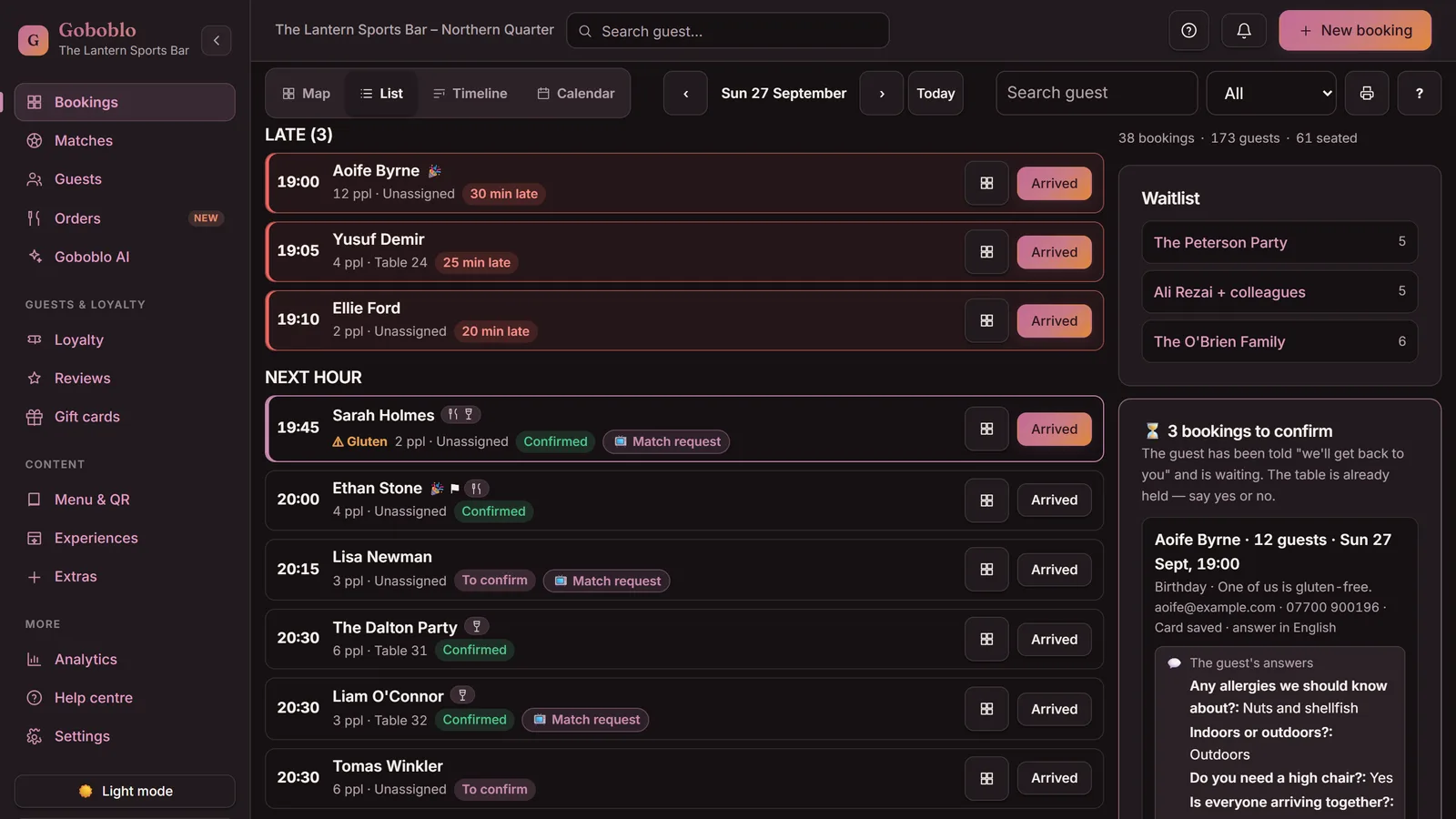
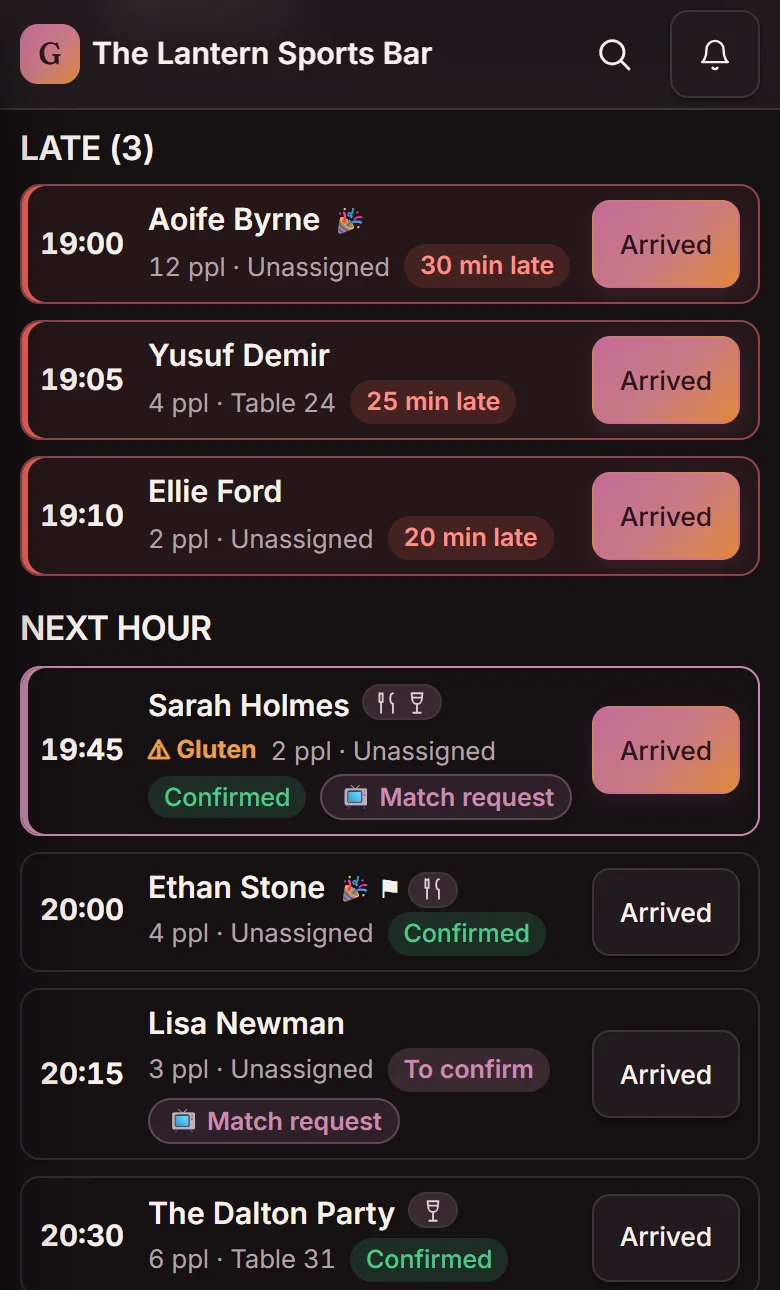
A restaurant booking system takes table bookings online, keeps your floor plan accurate in real time and cuts no-shows with automatic reminders and a card guarantee. Goboblo also saves every booking to a guest profile you own, so the same guest books again — whether you call it a booking system or restaurant reservation software.
Guests book in your own restaurant booking widget on your site, your Instagram bio and your Google Business Profile. Booking is one of several restaurant software features that share the same guest profile, alongside restaurant loyalty program software.
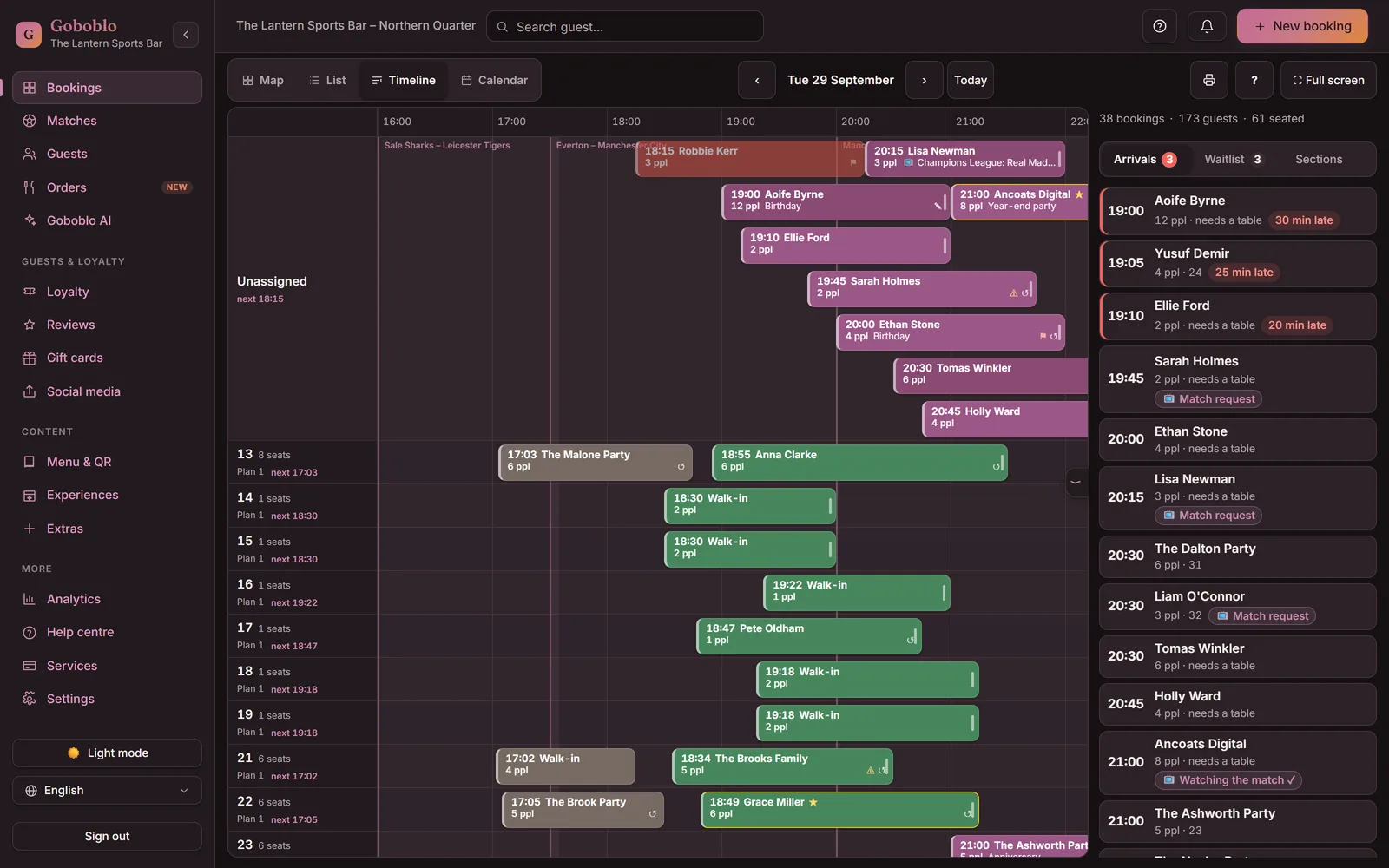
The floor plan shows the whole room in real time: who's seated, who's on the way and where there's room. Your team sees the same picture on every device, without reloading the page.
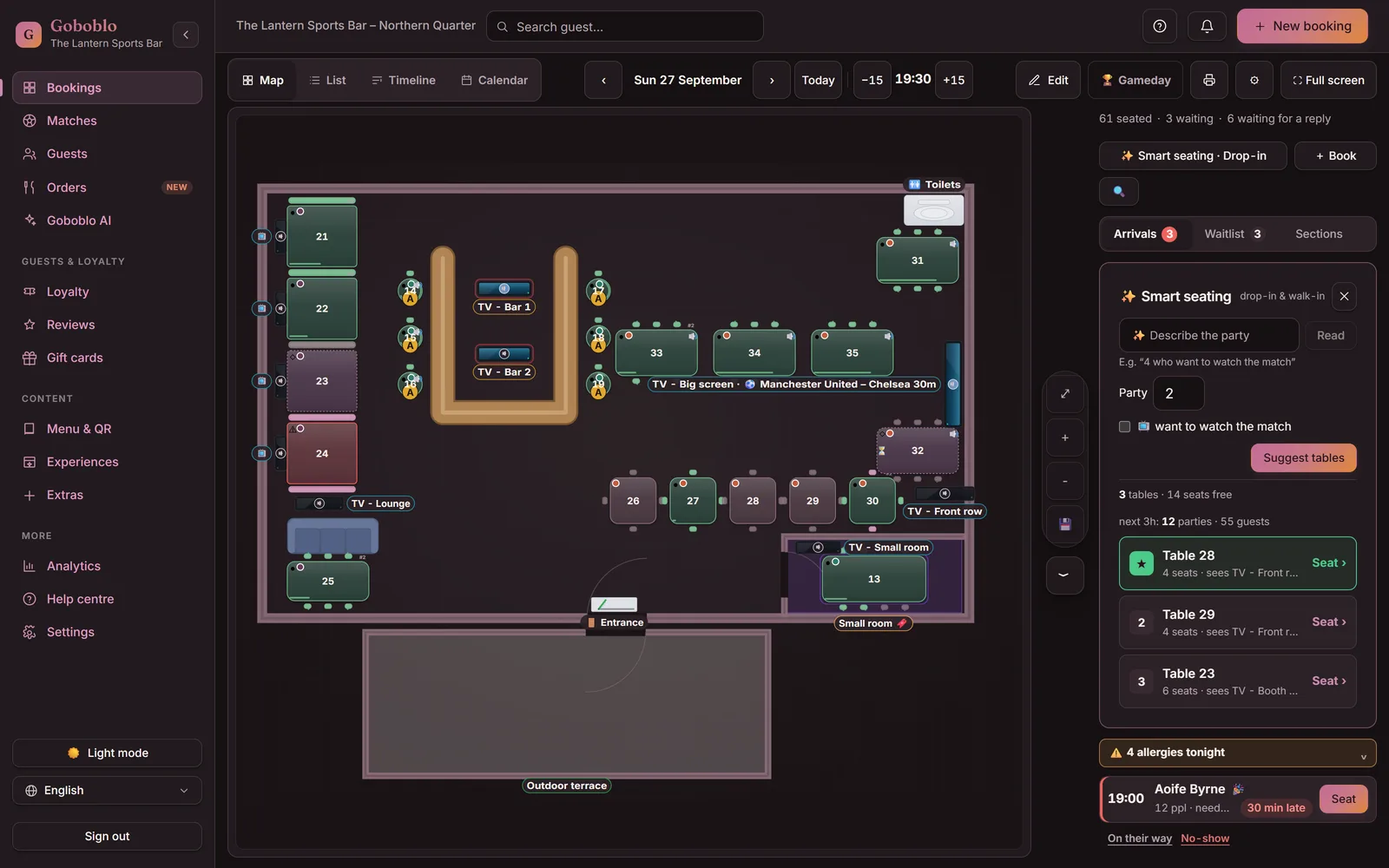
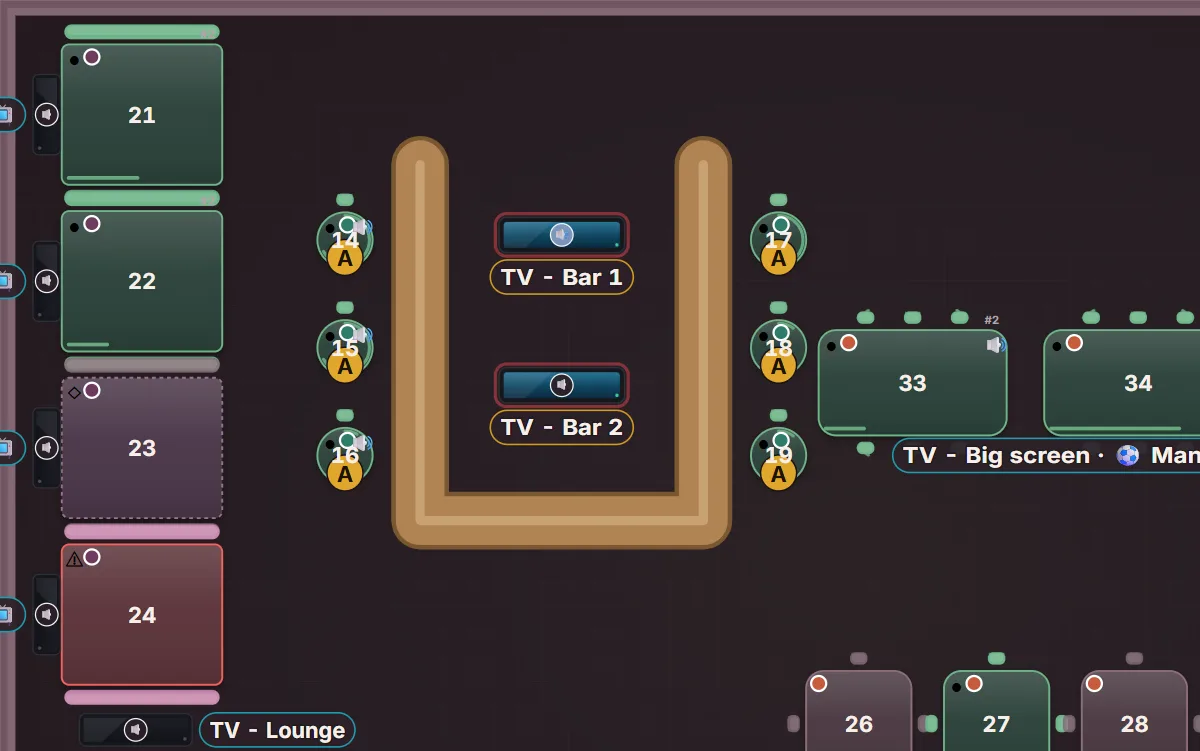
Portrait crop on mobile — the whole room on a computer
On a computer you also see the status line, Smart seating and Full screen.
Four steps take a booking from your widget to a guest profile you own. The guest books, the confirmation goes out, you fill a late cancellation from the waitlist, and the visit lands on the guest profile.
The guest picks party size, date and an open time in your own widget — on your site, in your Instagram bio or on your Google Business Profile. The booking shows up in your list straight away.
The guest gets a confirmation with the details and a calendar file straight away, plus a reminder before the visit — by email, or by text if you switch texts on. Fewer forgotten tables, no extra work for you.
You seat the next party from the waitlist — or let the waitlist email a cancelled time to the next party in line, with a reply window, once automatic offers are on. The table doesn't sit empty during your best shift.
Allergies, visits and spend collect on the guest's profile in your restaurant CRM software, right in the bookings list. Next time you already know who's a regular and who can't have gluten.
The booking widget on your own site and your Google Business Profile takes bookings even when the phone is off and the kitchen is full. Availability recalculates in real time, so two guests never claim the same table.
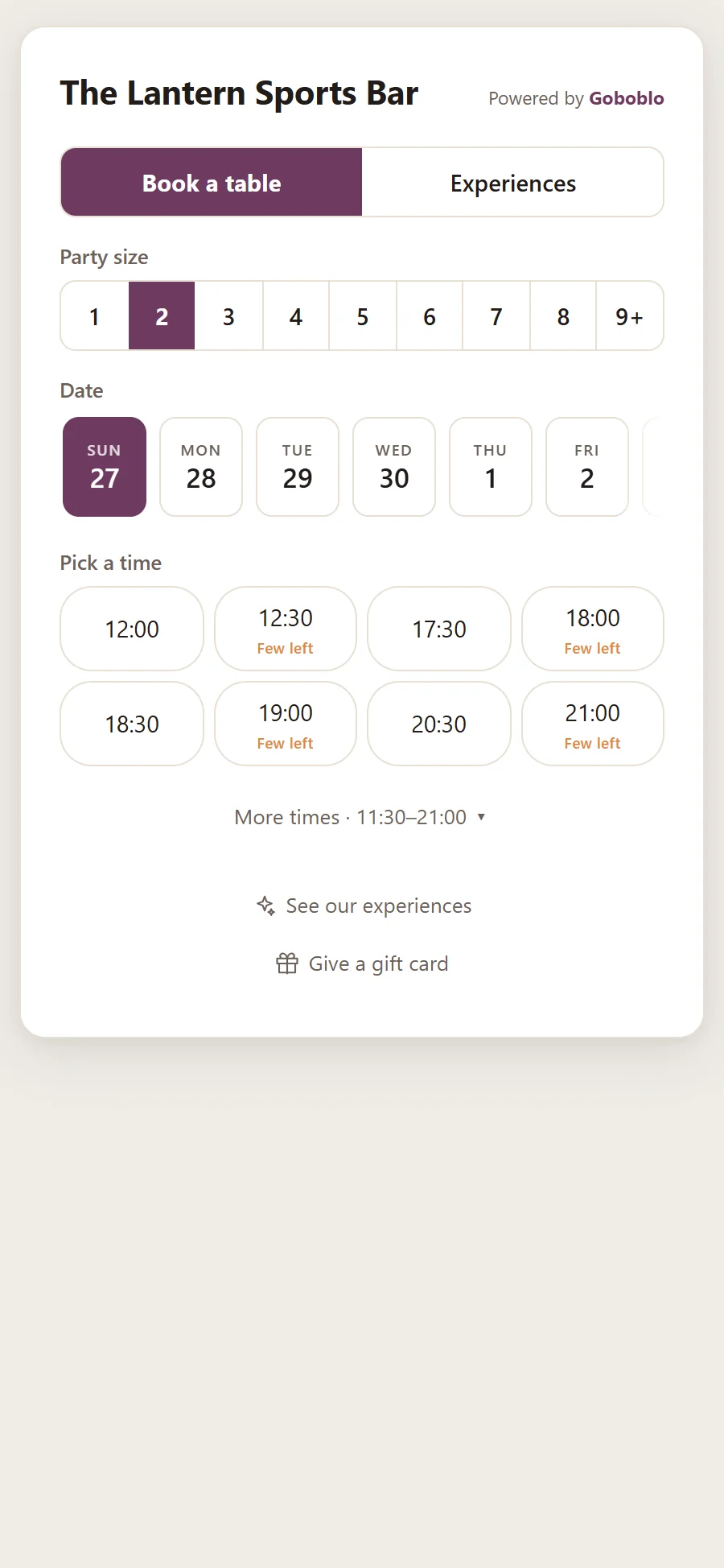
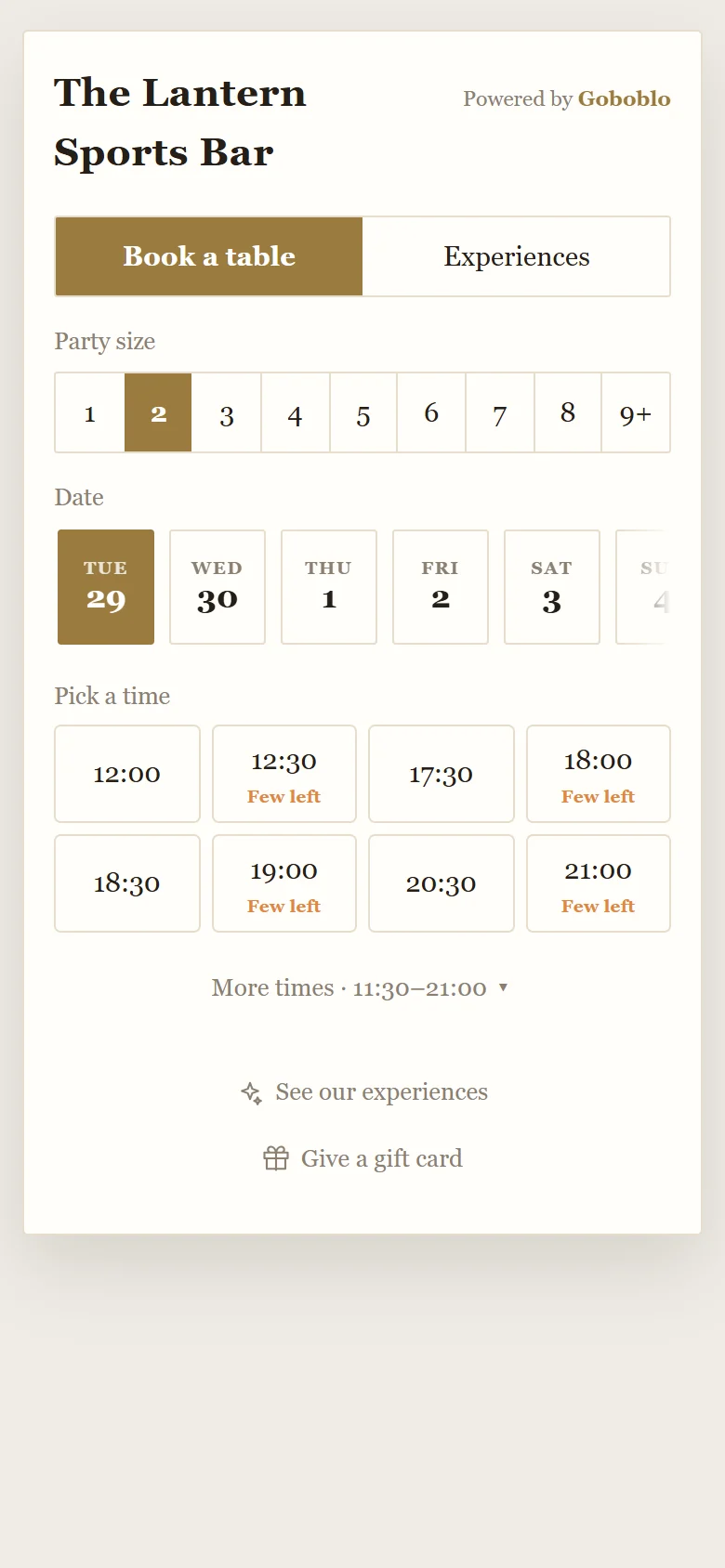
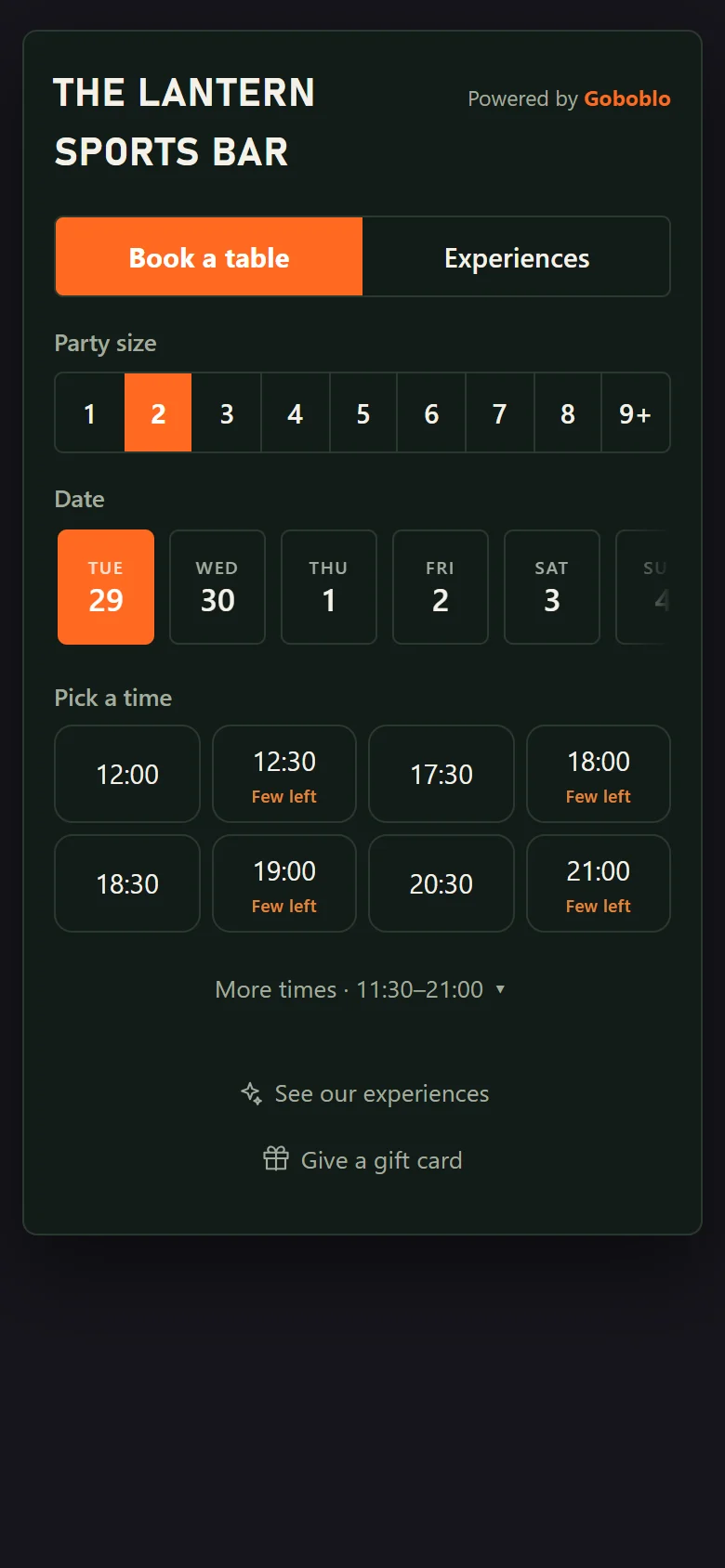
The booking widget gets your restaurant's own look. You pick a style, such as light Elegant or dark Bold, then your colour, your typeface and the corners (round, soft or sharp). You can also paste your website's address in Goboblo and press the button. Goboblo then suggests a style and colours from your site, plus your typeface when it's one in our library. Nothing changes for your guests until you press Save the look. The look you save applies to all your widgets, including the menu and gift cards. You can still change one widget on its own.
See the widget on The Lantern's website Opens in a new tab. The Lantern is our own example site.
Every confirmation email carries its own link to the booking, so the guest views it, changes the time or party size, or cancels — on their own. That takes calls and edits out of the lunch rush, and the change lands straight on your floor plan. Bookings made far ahead get a “still coming?” email 48 hours before, when you switch re-confirmation on.
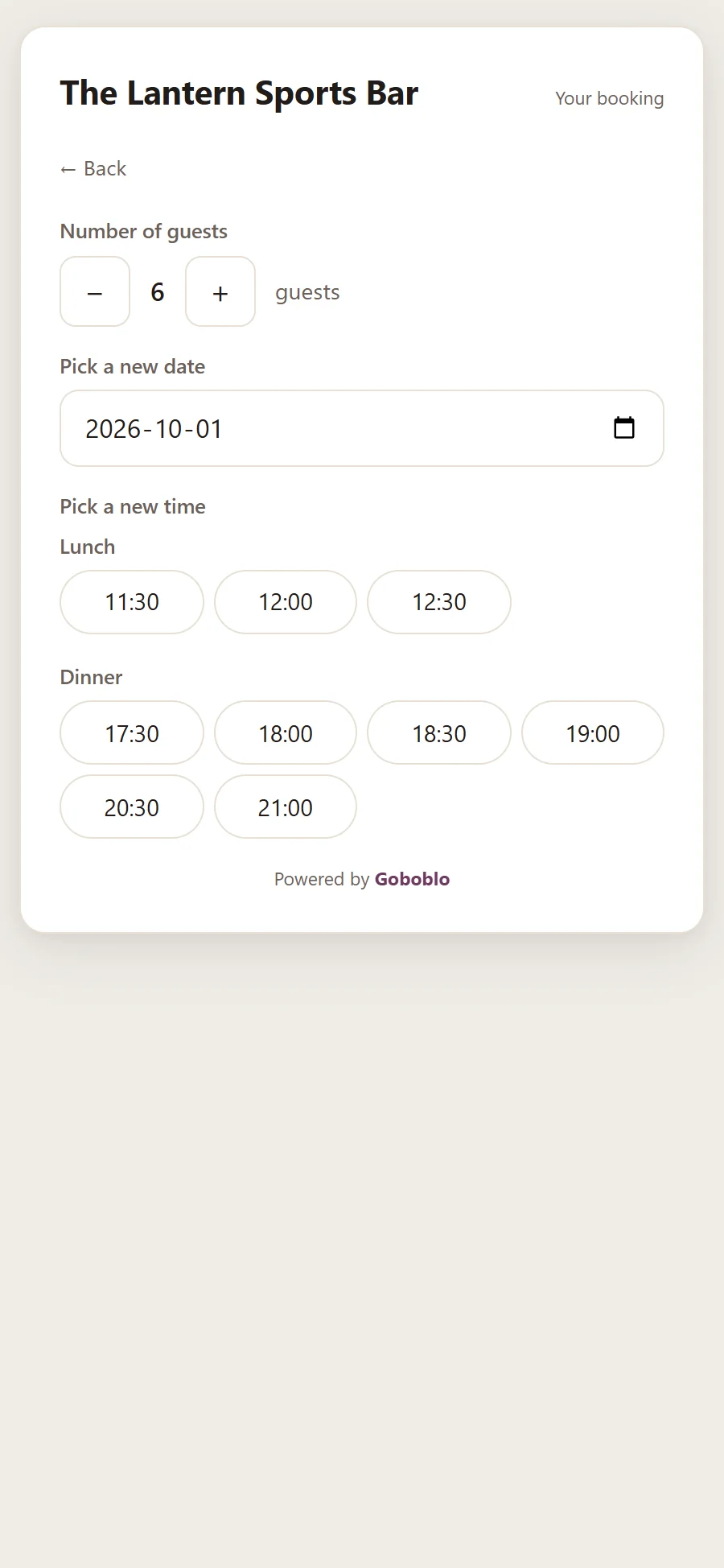
Goboblo runs tables and sittings on a real-time floor plan: bookings, the waitlist and walk-ins sit on the same table map, so no two parties get the same table and nobody scrambles at the door. Sittings and capacity per shift protect the kitchen, and the timeline lets you drag a booking to another time or table.
Goboblo cuts empty tables in three ways: automatic reminders, a waitlist you fill late cancellations from, and a card guarantee for parties from the size you choose. The guest saves a card when booking, and nothing is charged if the party turns up.
A reminder goes out before the visit — by email, or by text if you switch texts on — so fewer guests forget their table. Late parties rise to the top of the list during service.
Goboblo's restaurant waitlist offers a late-cancelled time to the next party in line, with a reply window, once you switch automatic offers on.
The guest saves a card when booking. You charge a fee only if the party doesn't turn up and didn't cancel, and you choose the party size from which a card is required. The guide on how to reduce restaurant no-shows covers cut-offs, wording and what to charge.
Goboblo changes the shift for the restaurant: bookings, tables and guests run in one flow the team has time to use during service.
Goboblo's restaurant booking system is free up to 25 bookings a month per venue — no card, no time limit. After that you pay one flat monthly price, with 0% commission on your own bookings.
First month free, no contract. All prices excl. VAT. Several venues run in one account at the same price per venue, with Goboblo's multi-location restaurant software. The transaction fees are listed under pricing.
Empty tables cost you bookings per week × the share who don't turn up × the average bill per party. Drag the sliders with your own numbers.
Calculated straight from your own inputs: bookings per week × the share who don't turn up × average bill × 4.33 weeks a month. No industry assumptions, no estimated recovery.
Goboblo adapts to the room you run: restaurant booking for lunch service, a booking system for bars and pubs, a sports bar booking system with match booking or booking for fine dining that holds pacing and margin.
Fast turns, weekday rushes and a stamp card that builds the lunch habit.
Walk-ins, the bar floor and tabs — bookings that fit a fast room.
Guests book the match — the right table at the right screen, a match queue and match night packages.
Allergies, the waitlist and a guest profile that remembers every detail.
A restaurant booking system takes table bookings online, keeps the floor plan accurate in real time and stores every guest in one profile. Goboblo ties every booking to a guest profile, so bookings, table management and repeat visits live in one system. Those profiles live in restaurant CRM software you own, not a marketplace's.
Yes. You embed the booking widget on your own site and your Google Business Profile, so guests book directly with you. Table choice is one step in the widget — choose your table when booking is on or off per venue. Every booking lands in the same system as the floor plan, the waitlist and the guest profiles, with no commission on your own bookings. No site yet? We build the restaurant website from your menu and opening hours, with the booking button already on it.
Yes. Every confirmation email — and every text, if you switch texts on — has a link where the guest views the booking, changes the time or party size, or cancels, without ringing you. You decide how late a guest can cancel, for example up to 24 hours before. The waitlist emails the time to the next guest in line when someone cancels in time, if you switch automatic offers on. Put the rules in a restaurant cancellation policy the guest grasps at a glance.
Bookings are free up to 25 a month per venue, with no card. Unlimited bookings cost £29 a month excl. VAT, with the first month free and the price locked for as long as you're a customer. You pay 0% commission on your own bookings and no fee per cover; ResDiary doesn't show its plan prices on its website, and OpenTable charges a fee per cover for guests who book through its own site, app or partners. The full list of transaction fees is under pricing.
Goboblo cuts no-shows in three ways: an automatic reminder, a restaurant waitlist to fill late cancellations from, and a card guarantee for parties from the size you choose. Nothing is charged when the party turns up; you take a fee only if the party doesn't turn up and didn't cancel. To get more sittings out of the same room, read how to turn tables faster and how to increase bookings. More guides, a glossary and comparisons live in our restaurant resources.
Yes. Goboblo runs in the browser, so it works on an iPad, tablet or desktop without installing an app. Your team runs the same real-time floor plan at the front of house that guests book against online. At the table, guests open your QR menu for restaurants on their phone — no app, always current.
ResDiary takes no commission on bookings but doesn't show its plan prices on its website, and OpenTable charges a fee per cover for guests who book through its own site, app or partners. Goboblo charges one flat monthly price with 0% commission on your own bookings and builds restaurant loyalty program software on the same guest profile, so each booking earns the next visit instead of a fee. See OpenTable alternatives, TheFork alternatives and the best restaurant booking systems.
You set up the booking system yourself in the browser, with nothing to install: account, floor plan and booking button.
No card needed. You start free, and support is close at hand if you get stuck.
Tables, sittings and opening hours click together right in the browser, on a computer or iPad.
Put the widget on your own site, your Google Business Profile and your social bios — or on the website you get free with us. Bookings land straight on the floor plan.
Book a short demo and we'll walk through bookings, the floor plan, the waitlist and guest profiles in a real restaurant flow — or start free today.
Free up to 25 bookings/mo · No card · No contract